Empty Table State ImprovementsUpdated the empty state design for tabs with no data (Ideas and Campaigns). The new design features:
- Refined typography
- Added “New Idea” button
- Adjusted container width for better visual balance
- Consistent styling aligned with the Growth Method design system

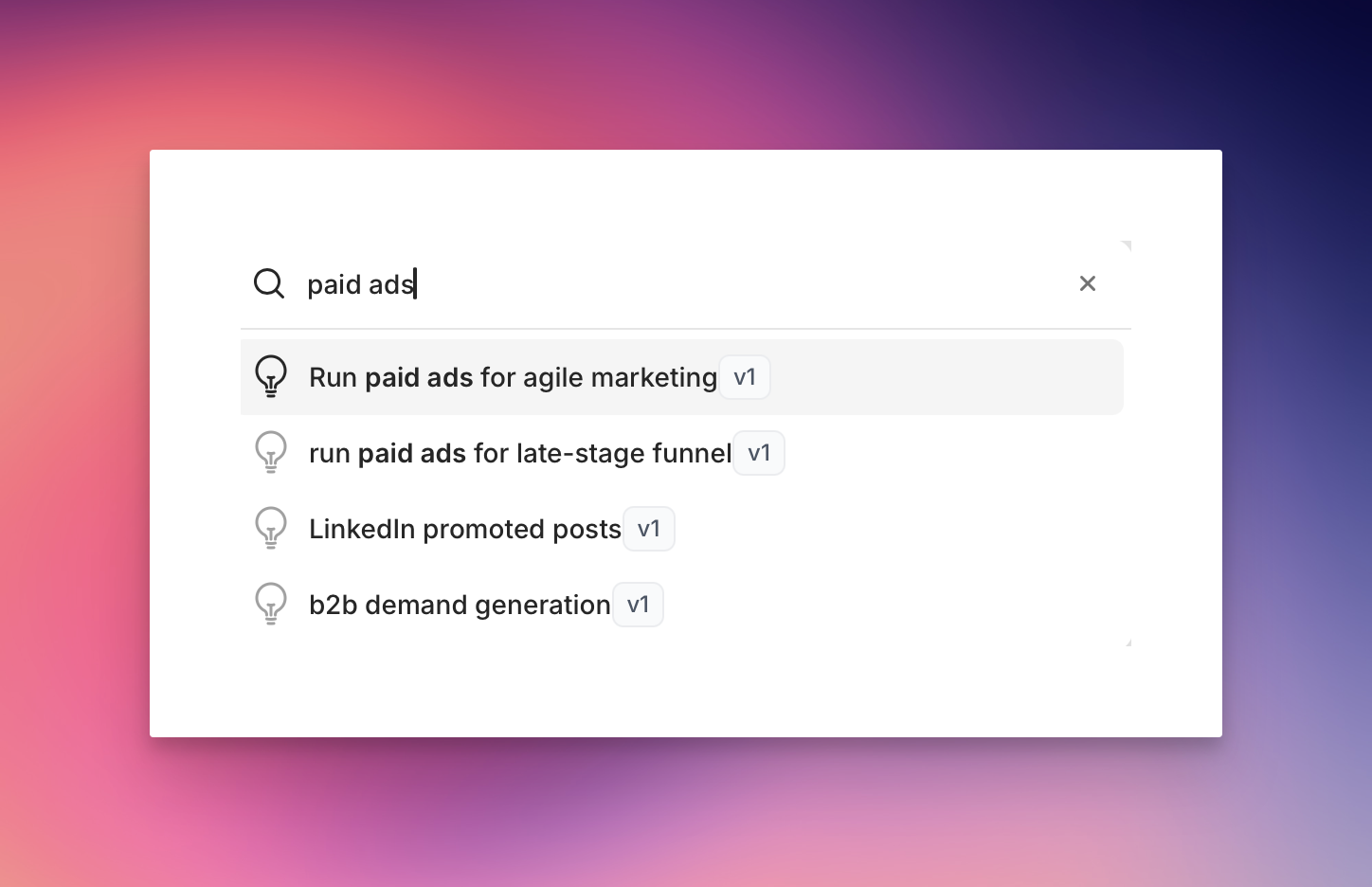
Improved app user experienceWe’ve improved the overall look and feel with a new sidebar navigation layout which is collapsible on desktop and mobile. Additionally various improvements have been made to the search experience.
Updated 404 pageAll application errors and expired shared links now display an updated 404 page with options to go back to the dashboard, or contact support.
For expired sharing links users will see the customised message below.


Various UI ImprovementsWe’ve made a number of UI and UX improvements across the app including:
- Updated campaign tabs
- Updated campaign table styling
- Updated modal display elements
Pagination improvements.Pagination is now only shown where tables have more than 50 campaigns in a view.
Growth Method shows the total number of campaigns as well as “Previous” and “Next” buttons for navigation.

Updated WYSIWYG editor. 1Growth Method now uses a new, simpler and more modern rich text editor throughout the application.
The new editor toolbar is both keyboard and screen-reader accessible and supports standard inline markdown formatting, for more details view the rich text editor guide.

Recent activity view updated.A small fix has been deployed to prevent date wrapping in the table showing recent activity.
This is also fully responsive on mobile and tablet devices.

Infrastructure update.Various improvements have been made to our app infrastructure over recent weeks which provide a more solid foundation for future functionality. This includes:
- Upgrading to Laravel 12
- Updating our testing suite to Pest4
- Hosting on Laravel Forge VPS
Experiment comment panel auto-open.Links in emails to comment on experiments didn’t automatically open the commenting panel. This is now fixed.
Tip: adding #comment to any idea or experiment URL opens it with the comment panel open.

Strategy UI Refresh.The strategy section just got smoother: we’ve removed distracting borders for a cleaner look, added helpful prompts on hover to guide you, and fine-tuned spacing and fonts so everything feels easier on the eyes and quicker to scan.

Metrics assistant.Choosing ‘Add automatically’ for metrics now opens the new Metrics Assistant—a chat interface that lets you pull data from tools like GA4, Mixpanel, PostHog, and more.
The new chat-style interface makes it easy to:

- Request data from your integrations
- Review and refine AI-generated queries
- Add results directly to your experiment
Highest score first.New ideas are now sorted by score by default—so your team always sees the most important opportunities first.
We’ve updated the buttons to make next steps clearer after writing a hypothesis—save the idea or start an experiment.


Comment notification improvement.We’ve improved the styling of comment notifications. Additionally notifications are now sent to all users (even if you add a comment to your own idea or experiment).

Introducing comments!.You can now add comments to any idea or experiment. Links are included in idea and experiment notifications as below:
Clicking the ‘Leave a comment’ link opens the idea or experiment with the right-hand comment panel open, specific team members can be @mentioned and tab completed.
Comments will then trigger email notifications to the relevant people, including the idea or experiment owner.


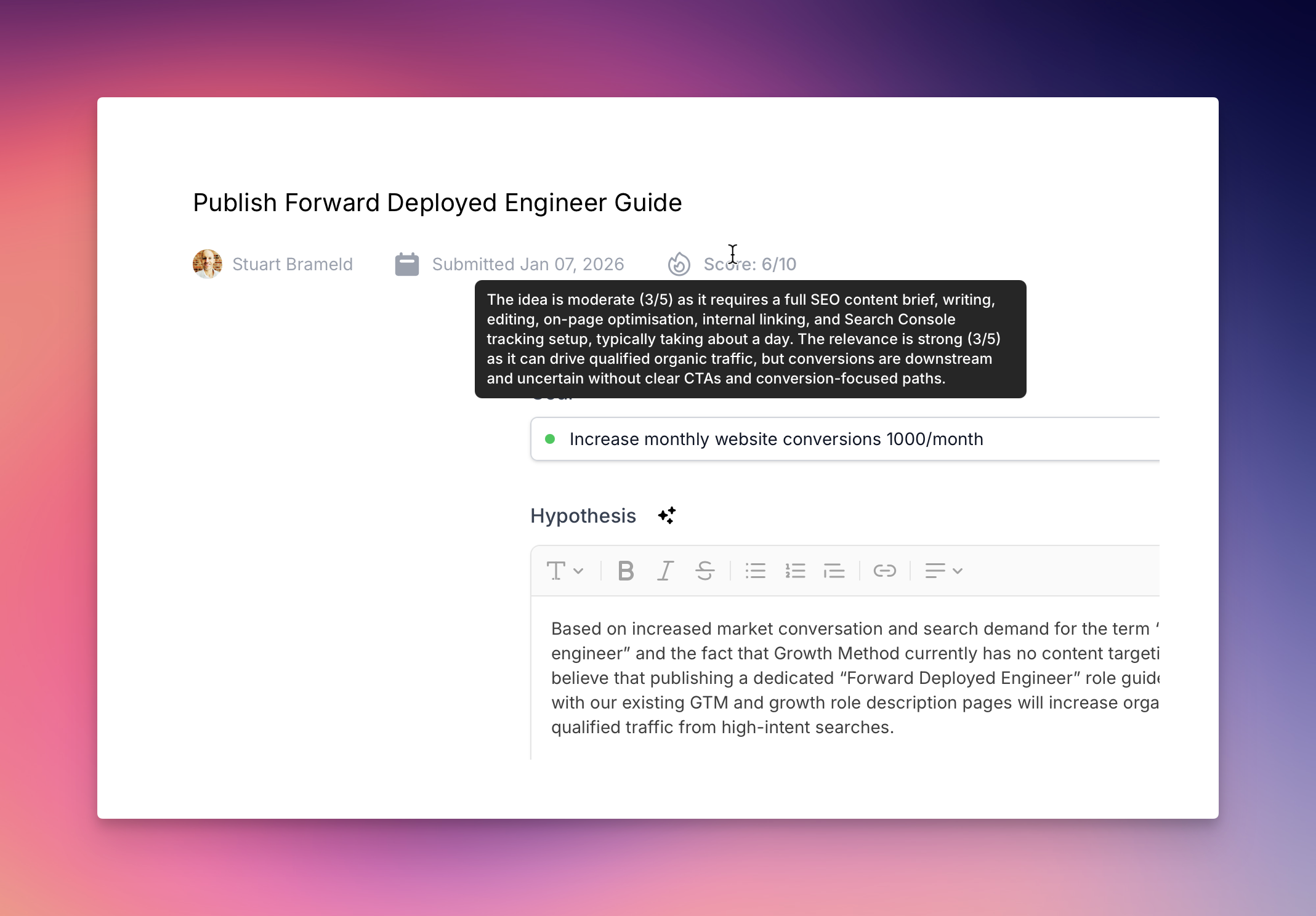
Priority score description on hover.In addition to viewing score descriptions on individual ideas you can now also view descriptions from the ideas overview screen by hovering over the score value.

Automated idea scoring.Manual growth idea prioritisation has been completely removed with automated scoring powered by AI. Ideas are now scored automatically on submission.
We produce 2 scores - an Effort Score , and a Relevance Score

-
and combine these to form an overall idea score out of 10. Effort Score The easier it is to implement, the higher the score, on a scale of 1 to 5. Our north star for growth method customers is shipping velocity - speed of learning is most important, so we prioritise based on how simple an idea is to implement. Relevance Score The more relevant the idea is to the current goal, the higher the score, on a scale of 1 to 5. In order to keep growth teams focused, relevance looks at how likely the idea is to implement the current goal. Score Explanation In addition to the individual scores and overall scores, we include an explanation why individual scores were chosen.

Hypothesis builder UX improvement.We’ve made some small UI/UX improvements to the hypothesis builder. In addition to small design improvements we’ve moved the button over to the right-hand side and updated the button text so that it doesn’t get pressed accidentally during your hypothesis chat.

Report design update.All reports have been simplified and updated with a fresh new look making it easier to focus on what really matters.
You can read more on our blog about why we, along with the vast majority of growth practitioners, believe in prioritising velocity/speed over everything else https://growthmethod.com/what-is-a-velocity-metric/.

New strategy framework.A new Strategy area is now live for all customers in the app, with guidance that helps you build your marketing strategy across 8 core areas:
In the next release your strategy content will direct and enhance how AI supports your teams work in the app.
- About
- Market overview 3.Target customer
- Positioning
- Sales & pricing
- Marketing advantages
- Channel strategy
- Growth model

AI recommendations.When creating a new growth experiment we now include AI generated best practises and recommendations in order to help you run your test effectively.

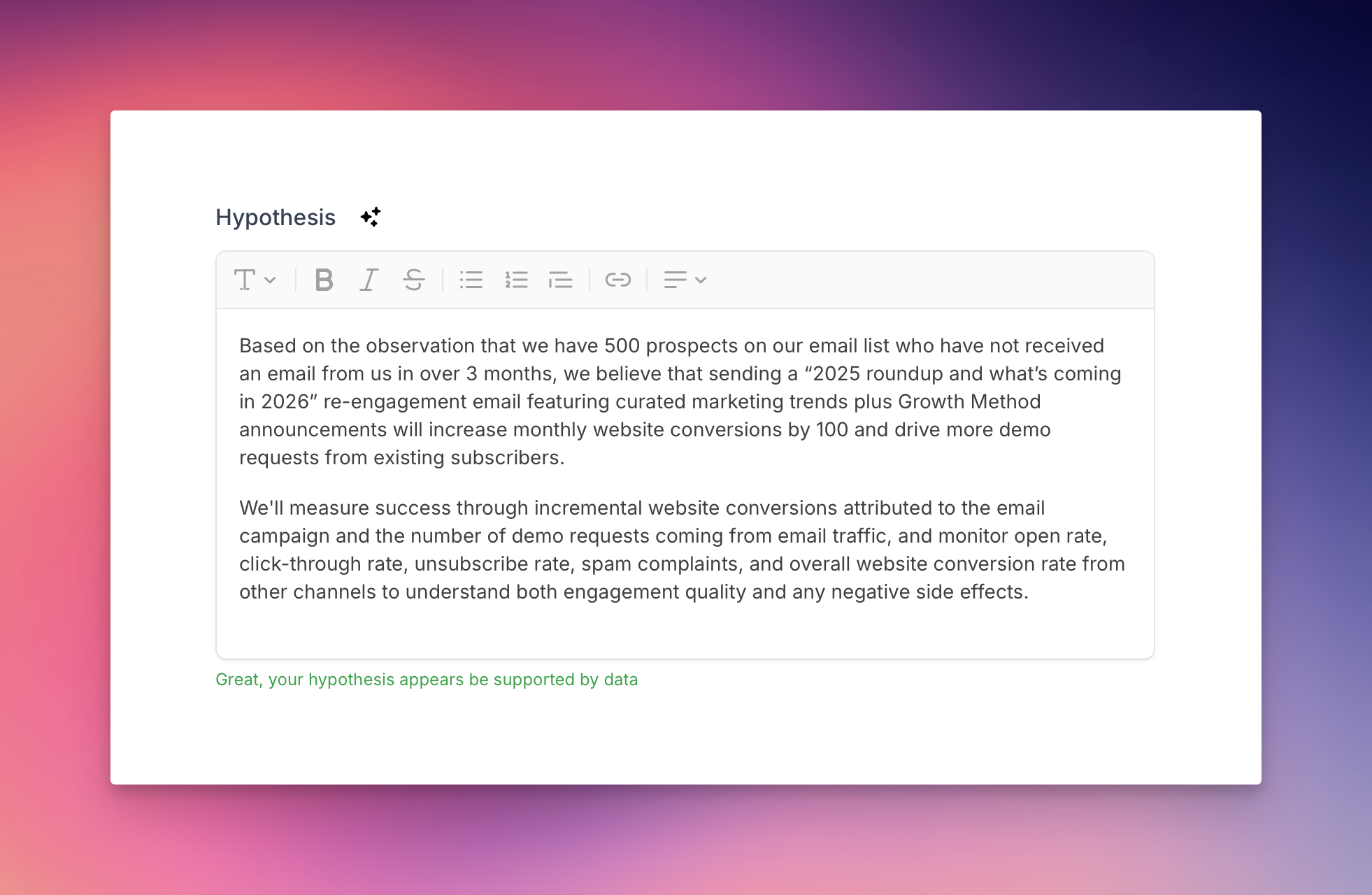
New hypothesis builder the default.The new Growth Hypothesis Builder is now the default for all users with updated prompts, structure and design.
We guide your through 4 best practises questions to build your growth hypothesis:

- What observation, insight, data, or research sparked this experiment idea? What have you noticed about your prospects, users, or customers?
- What specific change are you planning to make based on that observation?
- What do you expect will happen after making this change? What results are you hoping to see?
- What metrics will you track to help tell a complete story about your experiment’s outcome? Whilst using the hypothesis builder is recommended you can still add your hypothesis manually using the link below the chat input.
Updates to experiment results.We have made a number of improvements to experiments results. In the design stage, you can now add any relevant metrics to your experiment - though this is not required.
In later stages, the results area has been redesigned to include both the text area (for qualitative insights) and tabular rows (for data) with significant improvements to overall design.
For customers using automated metrics, Growth Method now automatically fetches metric data for you when moving to the analysing stage.


Experiment hypothesis builder.We have introduced a preview version of our new experiment hypothesis builder. Clicking the AI sparkes icon next to ‘Hypothesis’ opens a panel with the new builder. Try it out here .
The experiment builder follows much of the work outlined in Craig Sullivan’s Hypothesis Kit V4 . If you are interested in some of the background to on the importance of building a high-quality experiment hypothesis, the video below with Convert and Johann Van Tonder is worth a watch.

Real time categorisation updates.AI categorisation on new growth experiment ideas is now updated in the UI in real-time. After submitting a new idea we determine the category within around 3 seconds.
A reminder you can check your overall channel usage at any time under Settings -> Channels.

Personalised report email content.Weekly individual reports now include a note of the number of experiments a team member has in analysing that need to be moved to complete.

Simplified report names.We have simplified the names of the 3 core reports in Growth Method to Individual Report, Team Report and Leaderboard.

- Edit
Dwell time on individual reports.Individual reports now includes a Dwell Time column for experiment. This displays the number of days an experiment has been in that stage.
This helps to identify where experiments are stuck in a stage, and to prompt discussion around removing blockers.

Channel list in settings.Your channel list, along with a count of ideas and experiments per channel, is now included in your team settings.
This paves the way for future enhancements including custom channels and channel reporting.

Version control design update.The version control UI has been simplified and improved to make it far easier to see your experiment history at a glance.
Experiments are now ordered most recent first, the UI includes a headshot of the experiment owner and the experiment name.

Leaderboard added to team report.The team report now includes “All-time experiment leaders for this team”.
Note: Leaderboard reports are still available separately at https://app.growthmethod.com/reports/leaderboard.

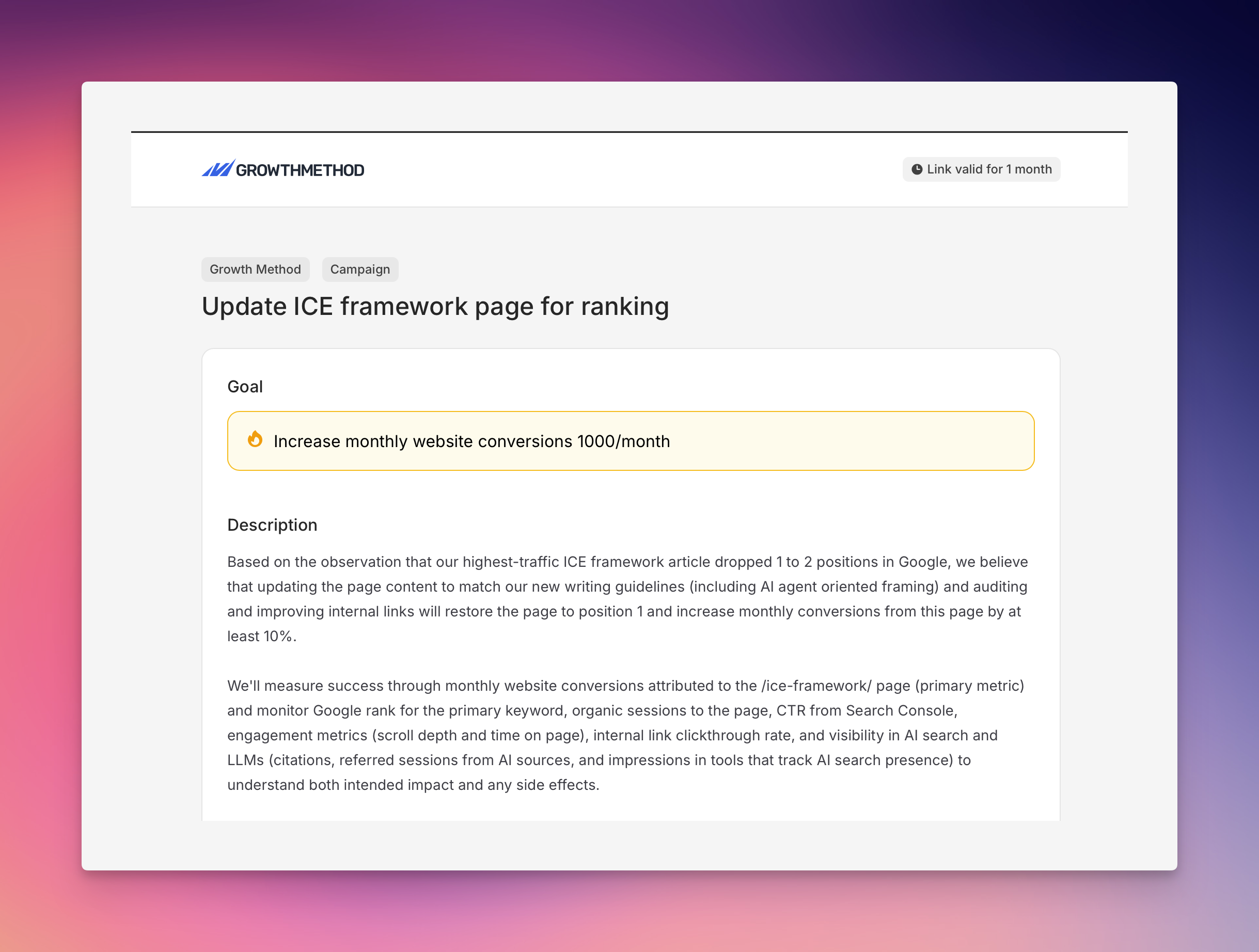
Goal description.Goals now include a Description field where teams can add specific details about goal setup and configuration.

All users in activity reports.Team reports now include all users, even if an individual user has not completed any growth activity in the time period.

Report notification improvement.We now include a reminder of when your individual reports and team reports are sent in report emails.
Team reports can be set for any day of the week, though we recommend setting them to send on the same day as your growth meetings.

Homepage dashboard update.Dashboards widgets now better reflect the core metrics we monitor for a healthy growth marketing team, Growth activity & Experiments completed.
Data is shown for your entire team over the last 3 months (including the current month). More granular information on team activity and experiments is available in reports.

Leaderboard update.We have added ‘This year’ to the leaderboard time periods. Time periods filters are now:
- All time
- This year
- Last 90 days
-
Last 30 days

New data sources.We have expanded our list of datasources. These are now available under goal configuration.
Growth Method can connect to any API that provides timeseries data using our Make and Zapier integrations.

Enhancements to AI summaries.A number of enhancements have been made to AI experiment summaries to increase their accuracy and reliability in reports and email notifications.
AI summaries are now updated for all experiment stages with a stage-specific prompt and are copied automatically when creating new experiment versions.