

Tidied headers & breadcrumbs.Improvement
We’ve tweaked the design of headings across the app (Ideas, Experiments and Playbooks) to improve the design, and added a breadcrumb to assist with navigation.
Ideas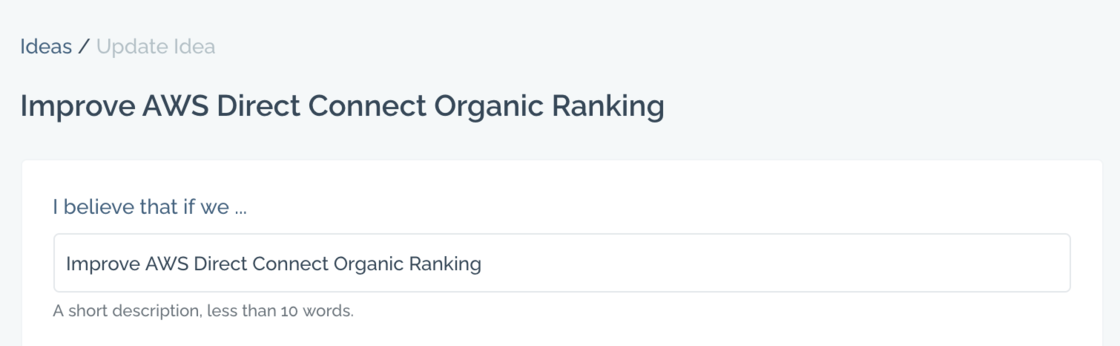

- Edit
Inspirational quotes for idea submission.Improvement
You’ll now find some relevant quotes to help spur you on when submitting your next idea.
Linus Pauling is the only person to have won an undivided Nobel Prize twice. In 1954 he was awarded the Nobel Prize in Chemistry. Eight years later he was awarded the Nobel Peace Prize for his opposition to weapons of mass destruction.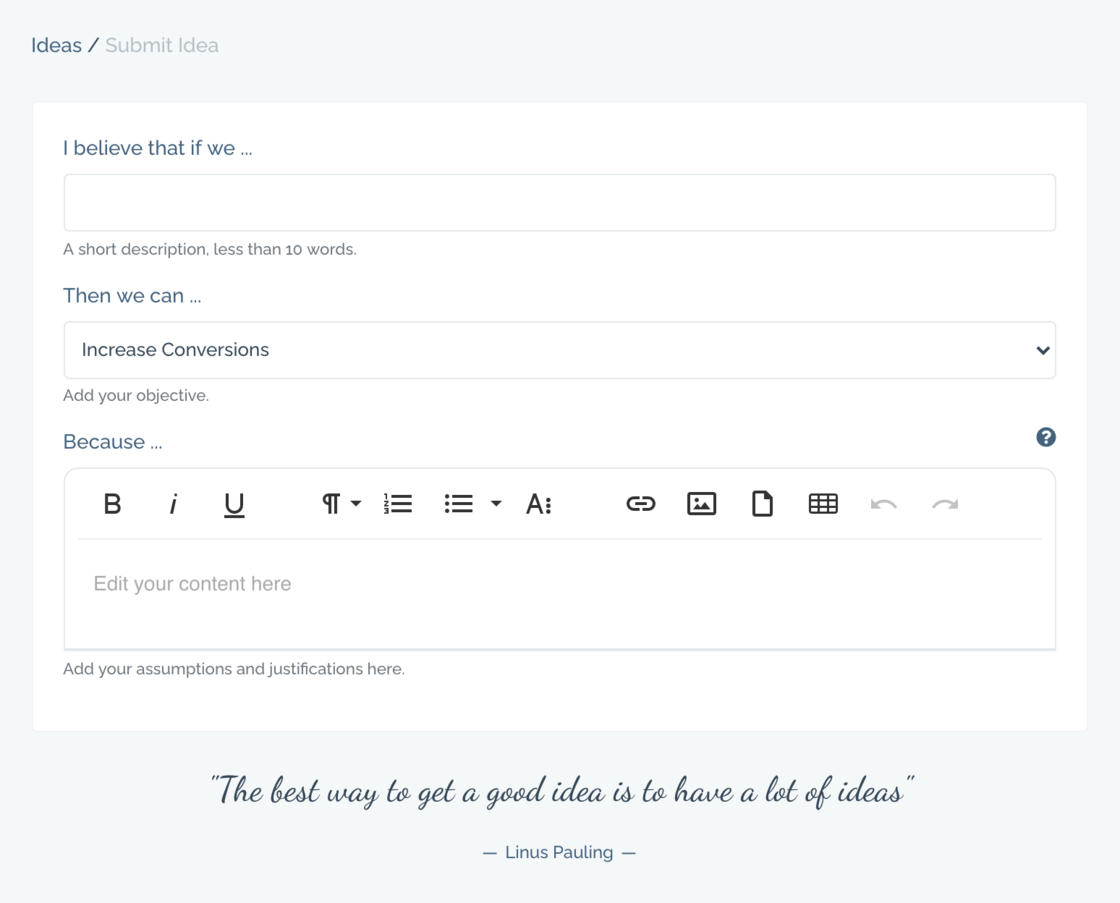
- Edit
Team Activity Overview.Improvement
We have added a new chart to the managers report to summarise individual activity across active experiments (Analysing, In Design and In Progress).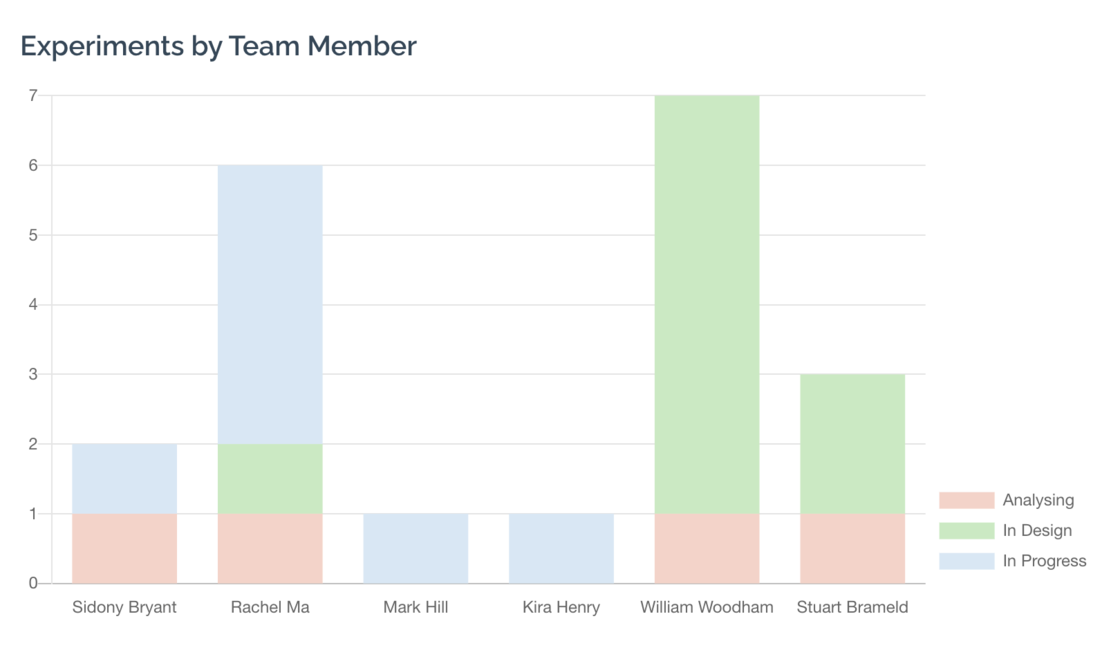
- Edit
Starting An Experiment.Improvement
There is no longer a requirement to add text to the Experiment Plan field before the starting an experiment. Click ‘Start Experiment’ and fill out your plan and other details once it’s in design.
- Edit
Updated Ideas Overview.Improvement
The ideas screen has been simplified and updated, incorporating the new channel selection functionality released recently.
- Edit
New Channel Selection.New
You can now associate traction channels with your ideas and experiments. If you’re a fan of Gabriel Weinberg’s
Traction Book and channel breakdown
, then this is for you.
- Edit
Improved Experiment Duplication.Improvement
If you duplicate an opportunity or experiment, we’ll now save any changes to your current experiment (so that you don’t have to ‘update’ separately) before duplicating.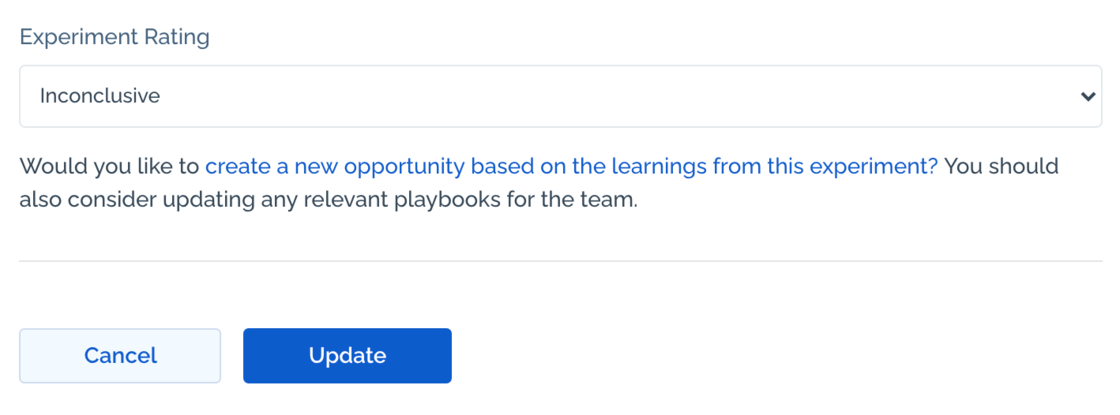
- Edit
Deleted Users.Improvement
We have updated how we handle deleted users as follows:
- The deleted users name will continue to display on any ideas and experiments that haven’t been reassigned.
- The user’s avatar will change as below, which provides a visual indicator that the idea or experiment should be reassigned.
- Edit
Clone your experiment.Improvement
Up until now you could create a new idea/opportunity using a recently completed experiment as a template. All of the data and learnings from that experiment would be copied. Based on feedback we have extended this so that any experiment can be cloned, regardless of the outcome or rating.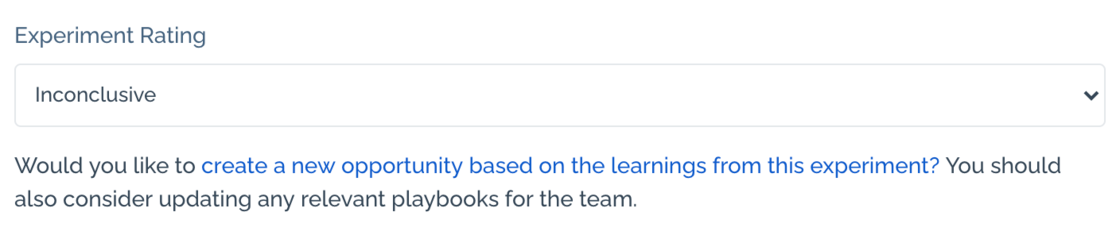
- Edit
New Team Activity Report.New
The first team activity report is now live, showing activity across your team for experiments In Design, In Progress, Analysing and Recently Completed.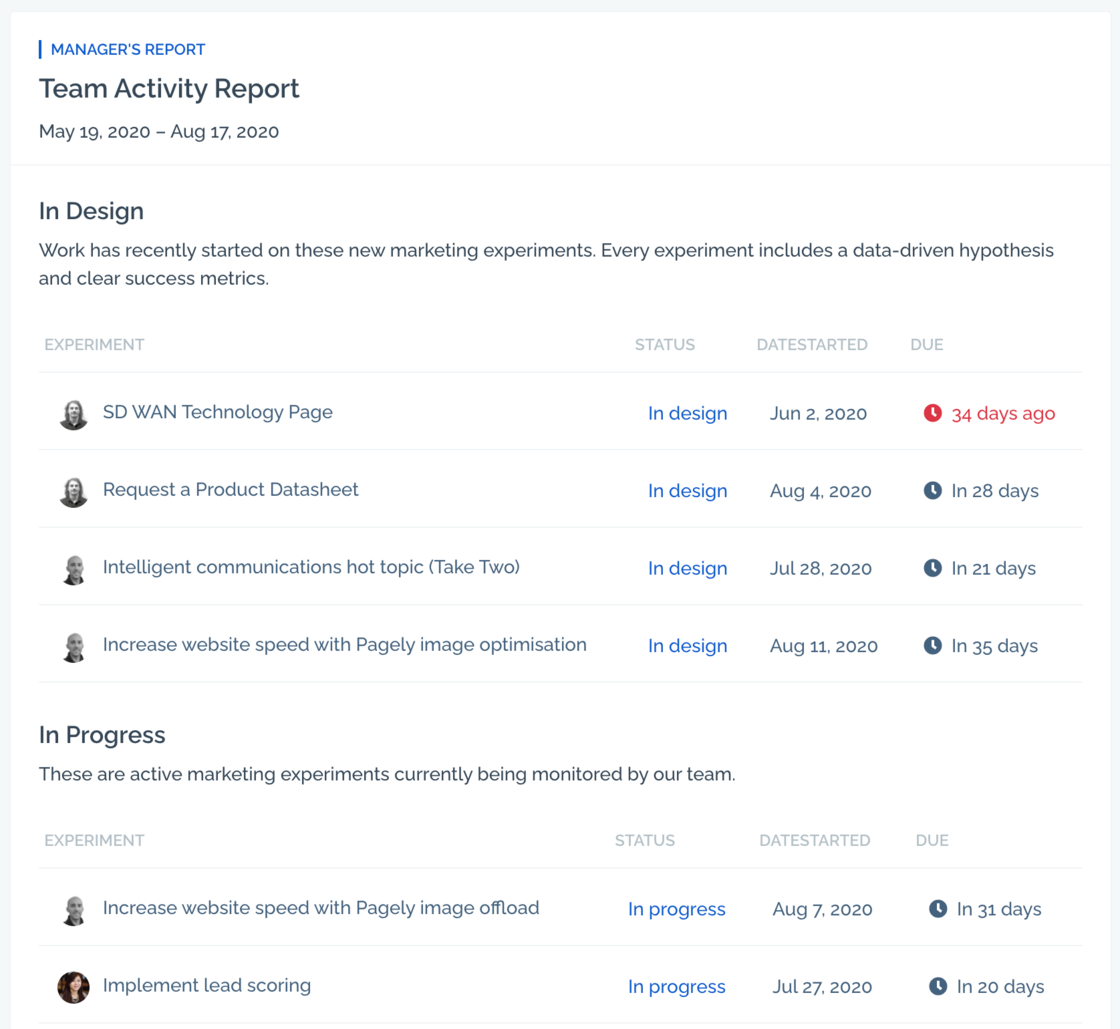
- Edit
Enhanced Idea Submission.Improvement
We’ve made a few tweaks to the idea submission form to better align with your team goals and to further encourage well-considered hypotheses.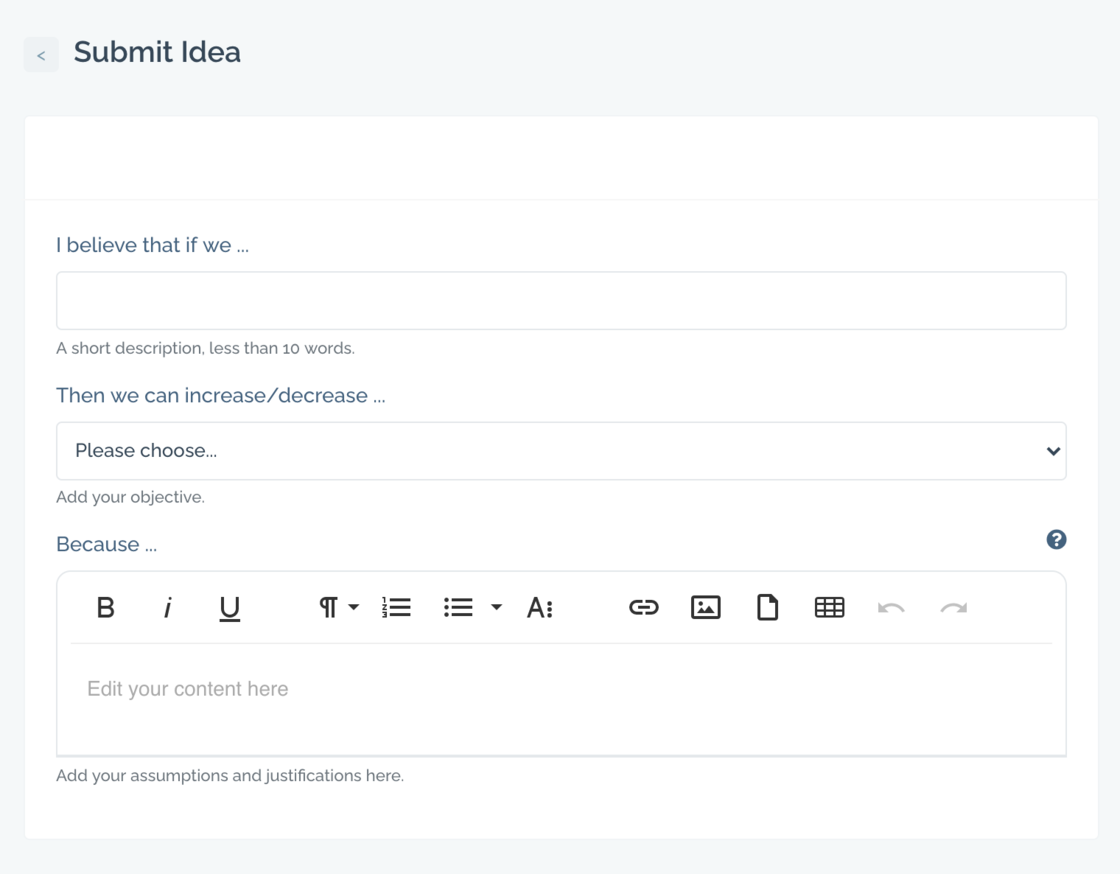
- Edit
Objectives are now Goals.New
We have renamed Objectives to Goals across the app. We feel this terminology is both easier to understand and better for communication both within marketing/growth teams and across organisations.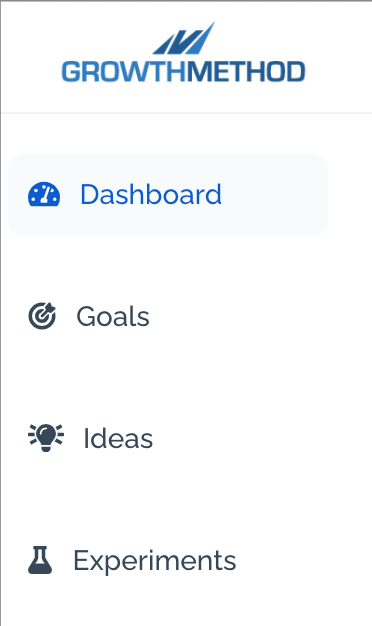
- Edit
Opportunities are now Ideas.New
Opportunities have been renamed Ideas throughout the app.
We figured nobody has ever sat in a meeting and uttered the words “That’s a great opportunity!”. Fortunately, we’ve heard many people say “That’s a great idea!”.
Moving our terminology to use Ideas helps us keep the language in our app more natural, more simple and more human. We hope you prefer it too.
- Edit
Experiment Plan Prompt.Improvement
Now when you create an experiment, we have included some placeholder text as a reminder of the kind of content you may wish to include in your plan:
“Start adding your key metrics, baseline and methodology along with any relevant links, data, screenshots etc …”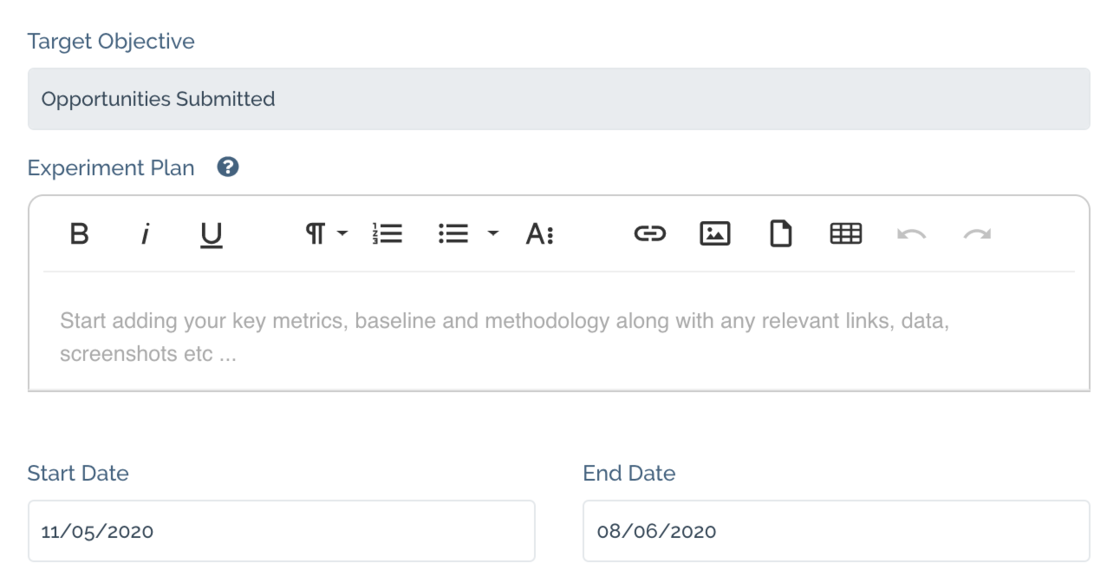
- Edit
Fixed Assigning Objectives.Fix
Fixed a bug where objectives couldn’t be assigned to new opportunities.
- Edit
Change Status.Improvement
We’ve added the ability to move experiments “back” to opportunities. Useful when priorities change, and you want to keep your Experiments queue nice and clean.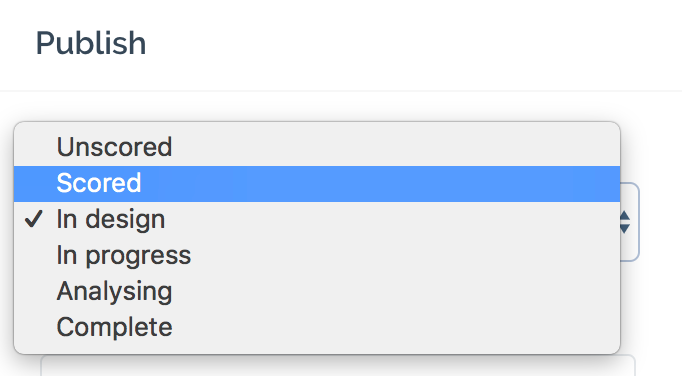
- Edit
Roles & Permissions.New
Want to give your marketing agency read-only access to your opportunities and experiments? Want to ensure only team managers are able to edit your team objectives? We’ve added roles and permissions so that you can do all this, and more.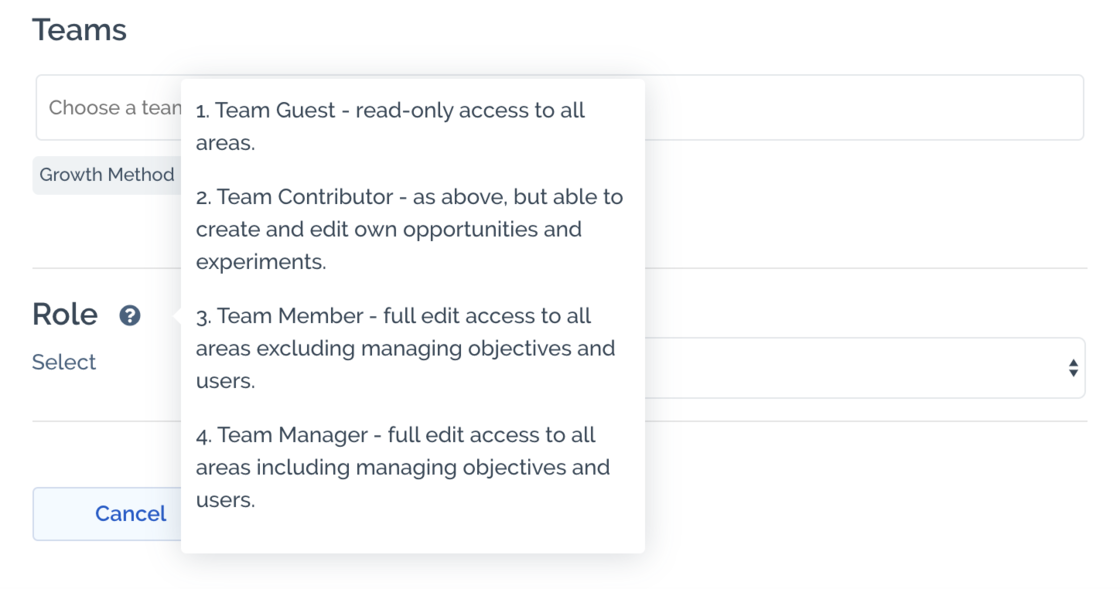
- Edit
Experiments ‘In Progress’ by default.New
When you navigate to Experiments, rather than showing all experiments, we’ll show experiments that are In Progress by default.
- Edit
Duplicate Experiment.New
Could you improve on an experiment that has been run in the past? Do you wish to iterate on a previous experiment, for example, to replicate it in another language?
Duplicate experiment copies the experiment and all relevant details to a new opportunity. The opportunity name is the same as the previous experiment name preceded by [Copy].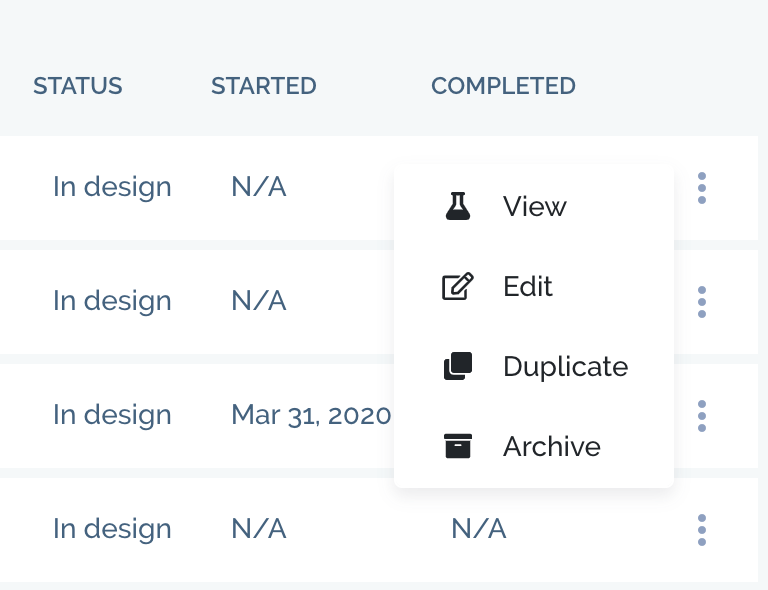
- Edit
Keyboard Hot Keys.New
We’ve implemented keyboard hot keys to help you move through the app:
- ArrowLeft = previous opportunity
- ArrowRight = next opportunity
- Enter = expand to opportunity full screen
- Escape = back to opportunities view There’s much more to come on this.
- Edit
Star opportunities.New
You can now star opportunities that you wish to flag-up with your manager or in team meetings. Starred items are specific to you, and will always be prioritised to the top of your ‘Own’ tab.
- Edit
Winning Experiments.New
When setting an experiment rating to ‘Winner’ we now provide the ability to create a new opportunity (including all the experiment data) in one click.
- Edit
Change Experiment Stage.New
You can now move your experiment between any stage of the growth process, including back from an experiment to an opportunity if required.
Statuses are:
- Unscored
- Scored
- In design
- In progress
- Analysing
- Complete
- Edit
Added team member faces.New
In order to improve the user experience, we’ve added team member faces to the opportunities and experiments screens. Hovering over a face shows the persons name.
- Edit
Introducing playbook share links.New
You can now share playbooks securely outside of the app. In the playbook edit panel click ‘Create sharing link’.
This creates a unique sharing URL specific to the logged-in user that expires after 6 weeks (or until you ‘regenerate link’).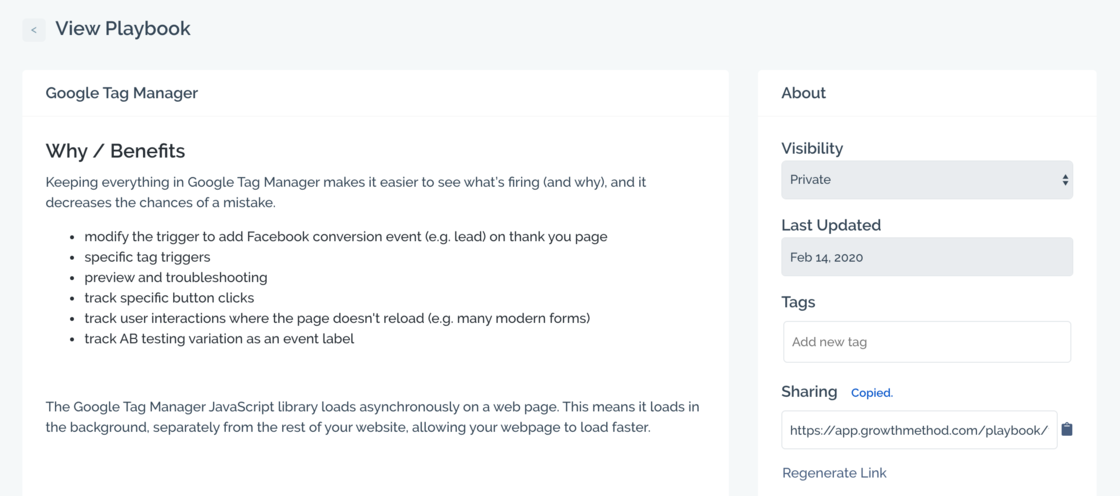
- Edit
Improved dashboard heading.Improvement
We’ve changed the ‘dashboard’ heading to include the current month and year.
- Edit
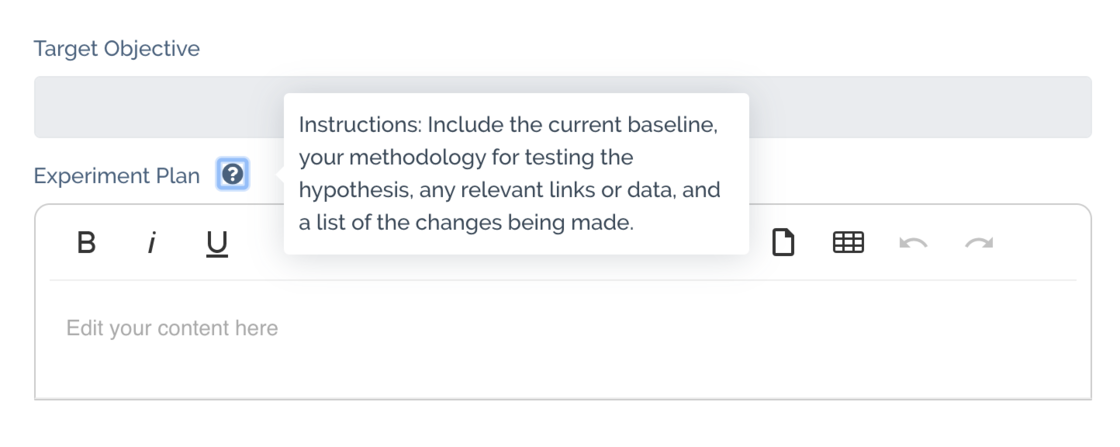
Introducing tooltips.Improvement
Added tooltips to key areas of the app including:
- description/hypothesis field
-
experiment plan
We’ll be expanding tooltips to other areas of the app soon.
- Edit