

Adding a comment
There are 3 ways to add a comment:- Using the link included in a new campaign notification email
- Use the common button when viewing an individual campaign
- Append #comment to any campaign URL to open the commenting panel
@Mentions
When adding a comment you can @mention any member on your team. Start typing to filter the relevant team members as you type, and use tab to complete.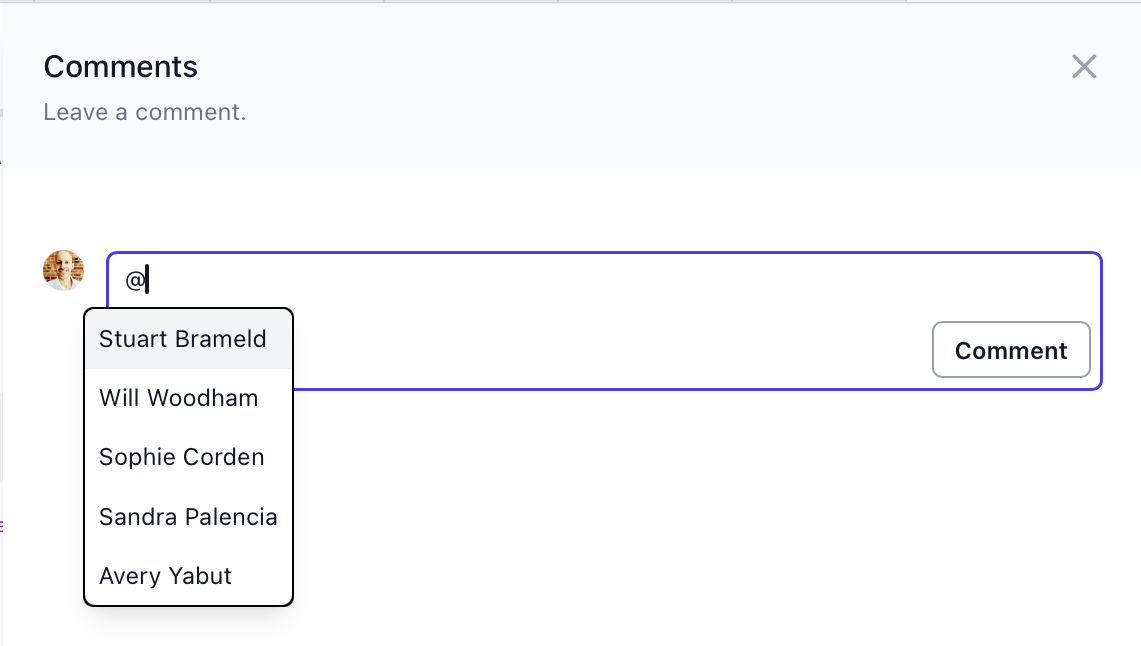
Notifications
Email notifications are sent to the campaign owner and to anyone explicitly mentioned in a comment. If you leave a comment on your own campaign whilst testing, you will not receive an email notification.Variables
Variables used in our comment notification emails.| Variable | Description | Example |
|---|---|---|
| $idea.comment.tagged | Team members tagged in a comment | |
| $idea.comment.creator | Campaign idea creator | |
| $experiment.comment.owner | Campaign owner | |
| $idea.comment | Comment text |